
When a museum decides to become more interactive, the request often arrives already worded: “we need a touch screen”. It is a good starting point, but it pays to take a step back. Interactivity can reach the galleries in very different ways, and the touch screen is only one of them. Before choosing the object, you need to understand what the visitor should do, in what space and within what exhibition design. This guide sets out the options and the way to reason about them, whether you are planning a single kiosk or an entire multimedia exhibition, and it is written for people who have never dealt with technology too.
Two routes: the device in your hand or the installation in the gallery
The first choice concerns where the interaction happens.
With portable devices the experience runs through a smartphone or a tablet. It can be the visitor’s own phone, used to scan a QR code and open a web app without installing anything, or a tablet the museum lends at the entrance: when it opened, MUSE in Trento, for example, offered guided tours on iPad Minis. The content goes with the person throughout the visit, in their language, and people who use a screen reader or enlarged text find on their own phone the tools they are used to. The limits are just as concrete: not everyone has a smartphone or wants to use it in the galleries, historic buildings sometimes have no connection, and the museum’s tablets have to be charged, handed out, cleaned and collected.
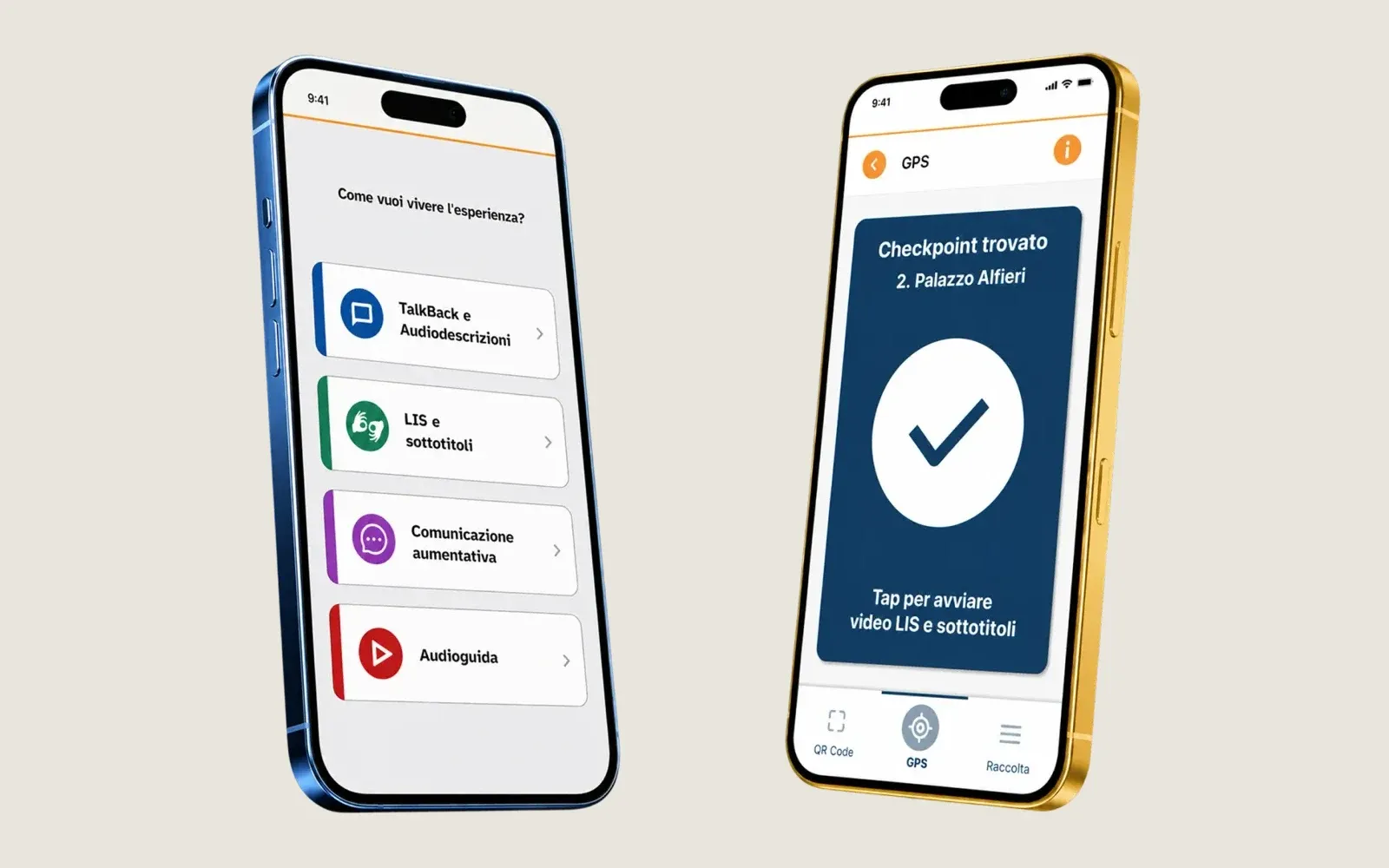
The visitor’s phone: the Open Tale© app in Asti lets people choose how to experience the visit (audio description, Italian Sign Language, augmentative communication, audio guide) and recognises places by GPS.
With installations in the gallery interactivity sits at a precise point along the route: a screen, a projection, a showcase. The experience becomes shared, it can be seen from a distance, it is part of the exhibition design and it does not depend on anyone’s phone. In exchange, an installation takes up space, needs power, network and maintenance, and has to be designed together with the room.
The two routes do not exclude each other. Many museums use both, and the best result often comes from connecting them, as the case of Iride shows.
Touch screens: kiosks, tables and walls
Saying “touch screen” is a bit like saying “car”: it covers a family of different solutions, often designed to fit the space that hosts them.
The kiosk
A multimedia kiosk (or totem) is a single screen, usually vertical or tilted, mounted on a base. It is used up close, by one or two people, and suits browsing entries, maps and in-depth content. At the Museo Teatrale alla Scala in Milan there is a touch kiosk in every room: it reproduces the room you are standing in, walls and showcases included, and touching an object brings up its full description. With this system the museum replaced the labels next to the pieces.
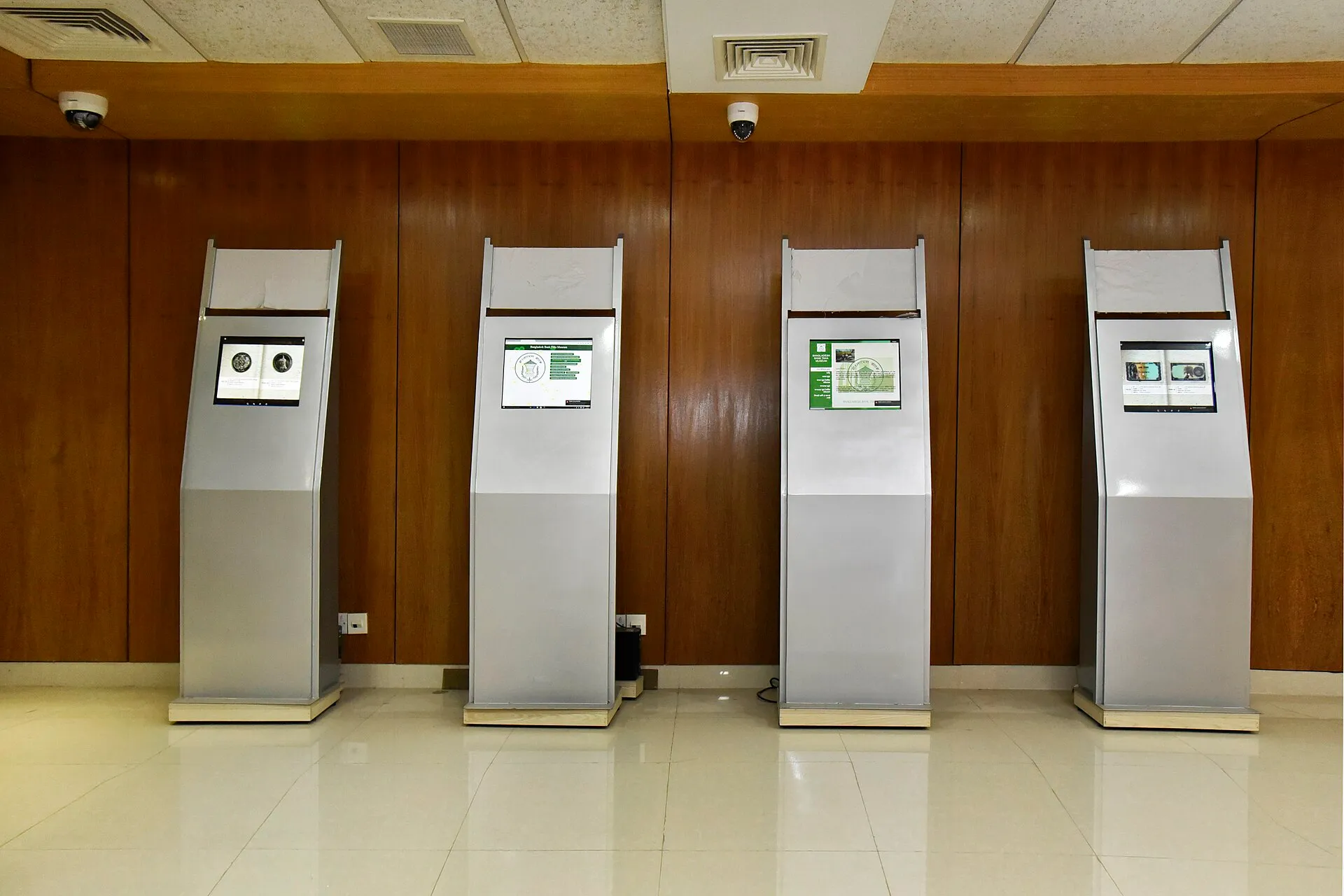
Touch kiosks at the Bangladesh Bank Taka Museum in Dhaka. Photo: Jaman Md, Wikimedia Commons, CC BY-SA 4.0.
The interactive table
A table is a horizontal screen around which a group gathers: a family, a class, friends exploring together. For this very reason it has to recognise many touches at the same time. Some models also recognise objects placed on the surface, which become part of the game or the story.
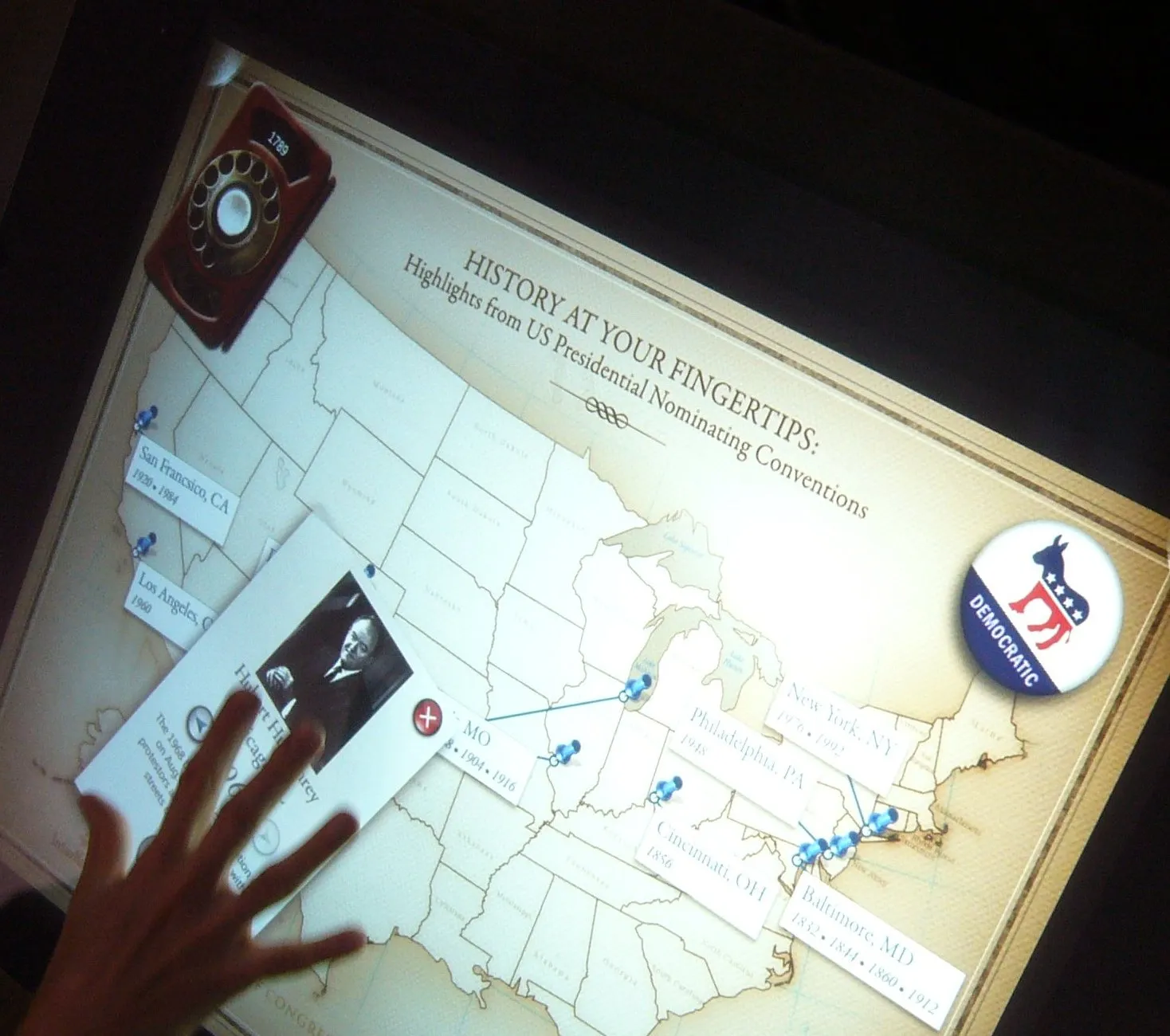
A touch table with an interactive historical map. Photo: Andy Powell (cropped), Wikimedia Commons, CC BY 2.0.
The wall
When several screens are joined on a wall, people speak of a wall, or video wall. With LCD panels the joints between one screen and the next remain visible, even if today they are thin. With LED modules the surface is continuous and follows the shape of the wall, but up close you can make out the individual points of light: an installation meant to be touched therefore needs a very fine pitch between the LEDs, which is also the item that weighs most on the price. A touch wall is used standing, by several people at once, and can be seen from the other side of the room. It is the right format when you want to show an entire collection and invite the public to come closer.
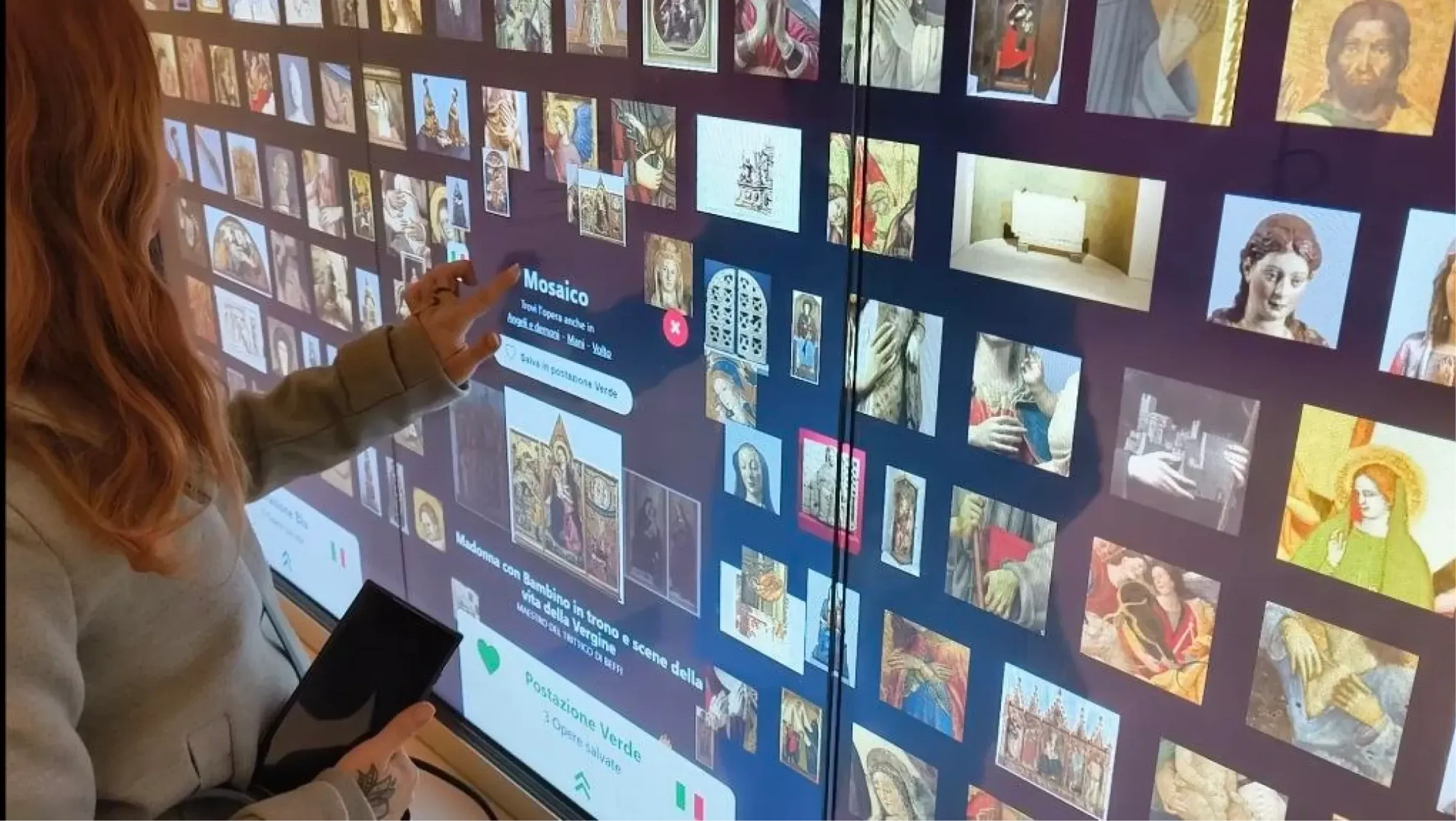
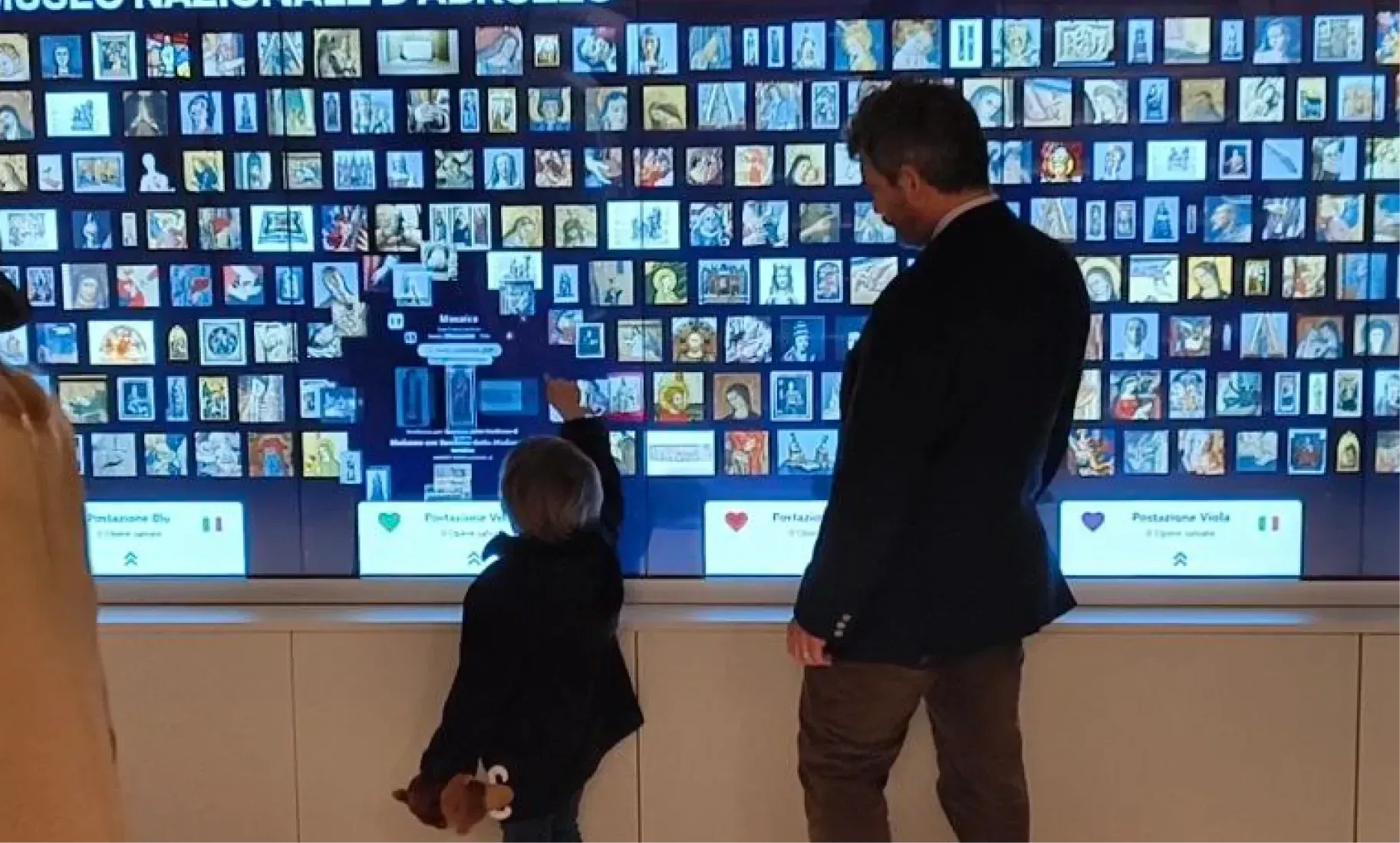
The Iride touch wall at MuNDA in L’Aquila: five screens joined on a wall.
What is inside
Not all touch screens work the same way. Projected capacitive touch is the kind used in phones: a flat surface, a precise response, no interference from light. On large surfaces and walls, infrared frames are common: they detect a finger when it breaks a grid of invisible beams. They work well in controlled lighting, but direct sunlight can confuse them and the raised edge collects dust. There are also contactless systems that respond to gestures or to the eyes: MUSE chose a kiosk controlled by eye movements.
The screen matters as much as the touch layer. Professional displays are built to stay on for many hours a day, they are brighter and they come with warranties that cover use in public places; a home television is not made for this, and its warranty often excludes professional use. The housing is part of the project too: it has to protect the components, allow ventilation, lock, and open easily when a technician needs to get in.
Beyond the touch screen
Projections, static and interactive
A projection can be static, such as a video on a wall or video mapping that follows the shape of a building or an object. Or it can be interactive: depth cameras or LiDAR sensors detect people’s movements, and the image projected on the floor or the wall reacts to their steps and gestures. Projections cover large surfaces and are the basis of immersive rooms; at MuNDA in L’Aquila an immersive room tells the history and architecture of the castle. They need dim rooms, and the projector’s light must not fall on the most delicate works.
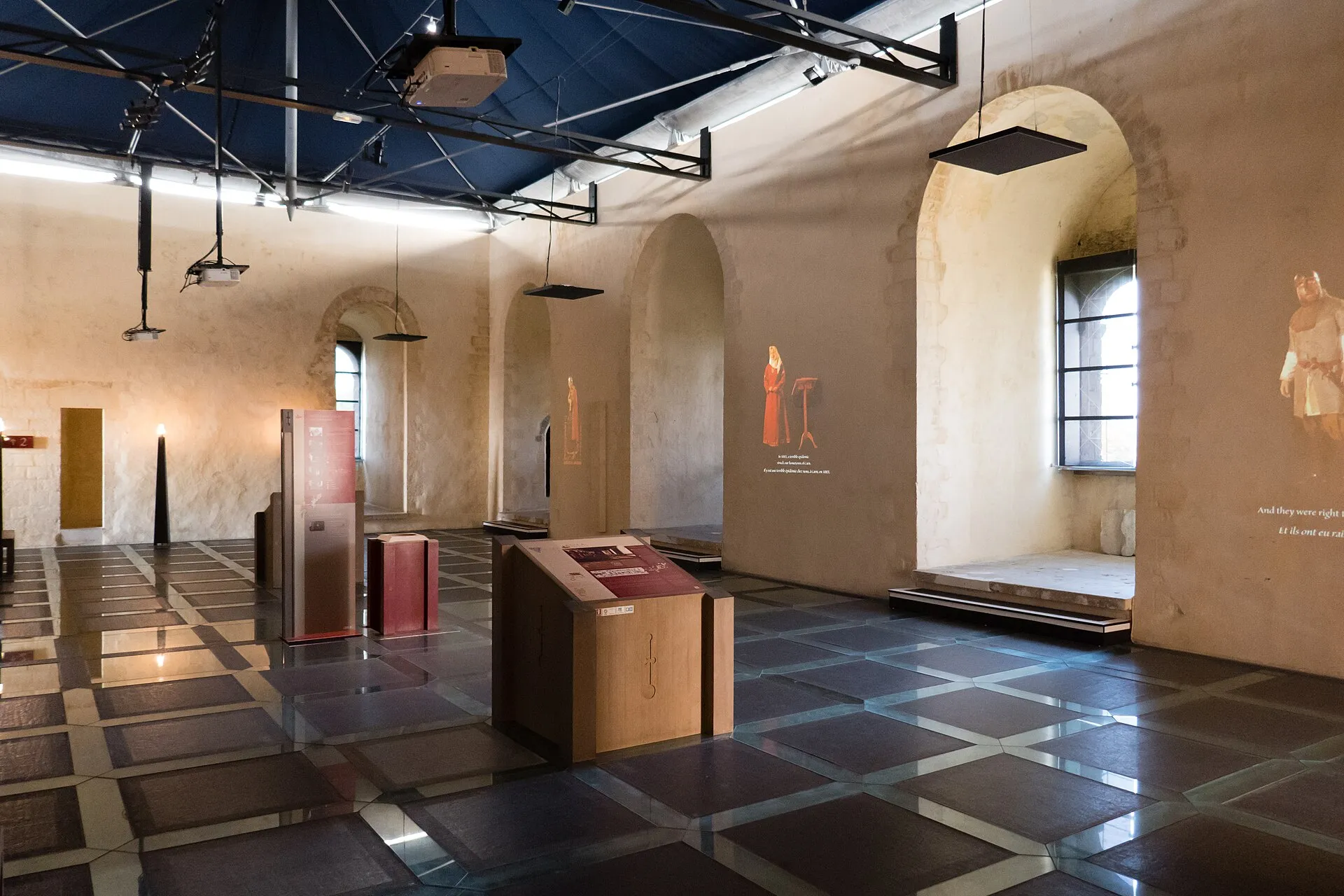
Château de Falaise, Normandy: projections on the walls tell the story of the castle’s inhabitants. Photo: Brady Brenot, Wikimedia Commons, CC BY-SA 4.0.
Holograms
What museums call holograms are almost always optical illusions. The most common is Pepper’s ghost, a nineteenth-century theatre effect: a hidden image is reflected on an angled transparent sheet and seems to float in space. It works well in showcases and small theatres, with controlled lighting and a precise viewpoint. Holographic fans spin arms of LEDs at high speed and create an image suspended in the air: they are striking, but the resolution is low, the moving blades have to be protected by a case, and up close or under strong light the effect is lost. Then there are showcases with transparent displays, where text and images appear on the glass in front of the real object.
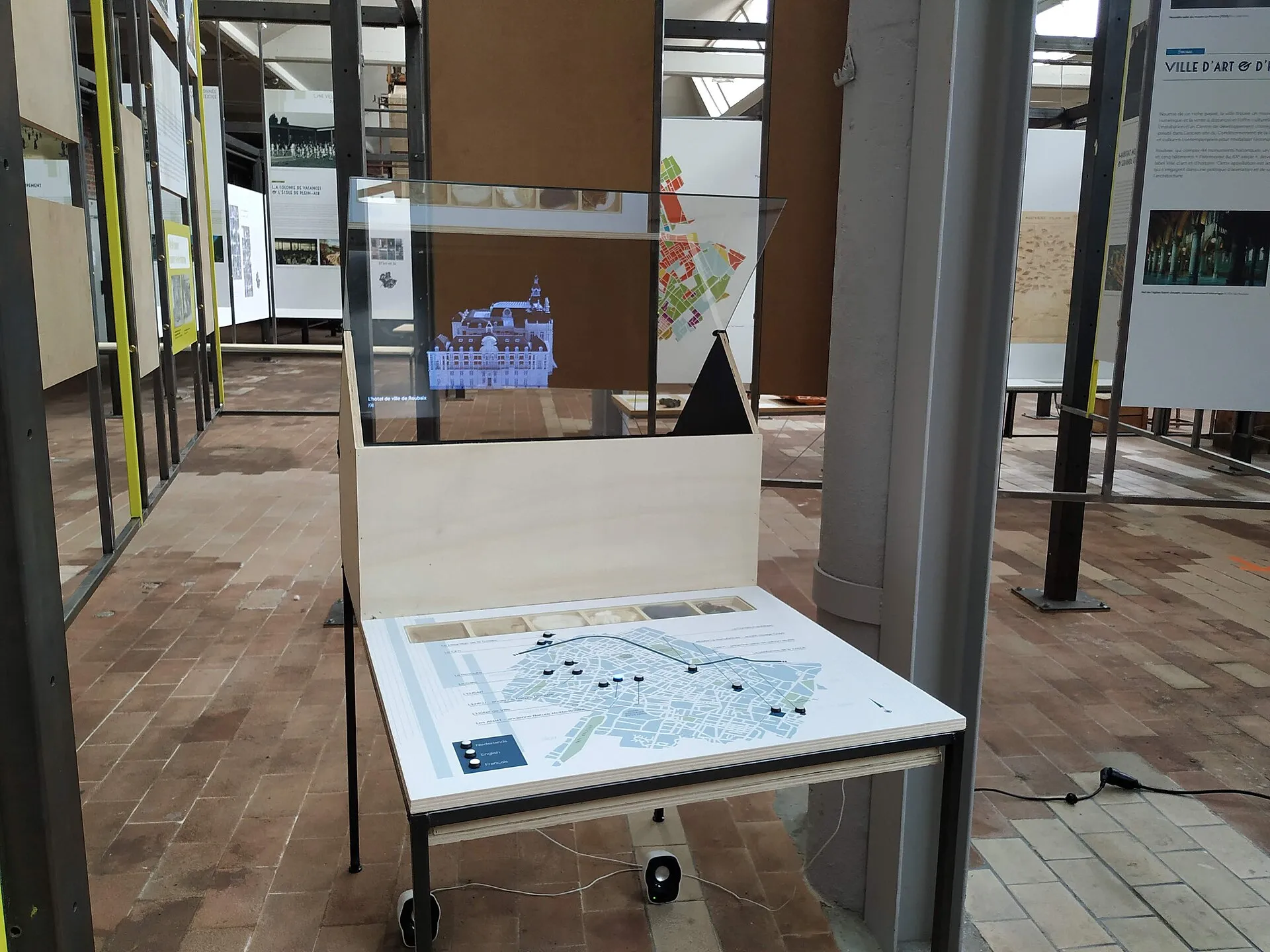
Roubaix, Manufacture des Flandres: above the interactive table with the map of the city’s industrial sites, a holographic showcase displays the buildings. Photo: Sebastien Dumetz, Wikimedia Commons, CC BY-SA 4.0.
Augmented and virtual reality
Augmented reality overlays digital content on what you frame with a phone or tablet, so it belongs to the portable-device route. Virtual reality takes the visitor inside a reconstructed environment, through a headset: it usually requires a dedicated station and someone to assist the people trying it.
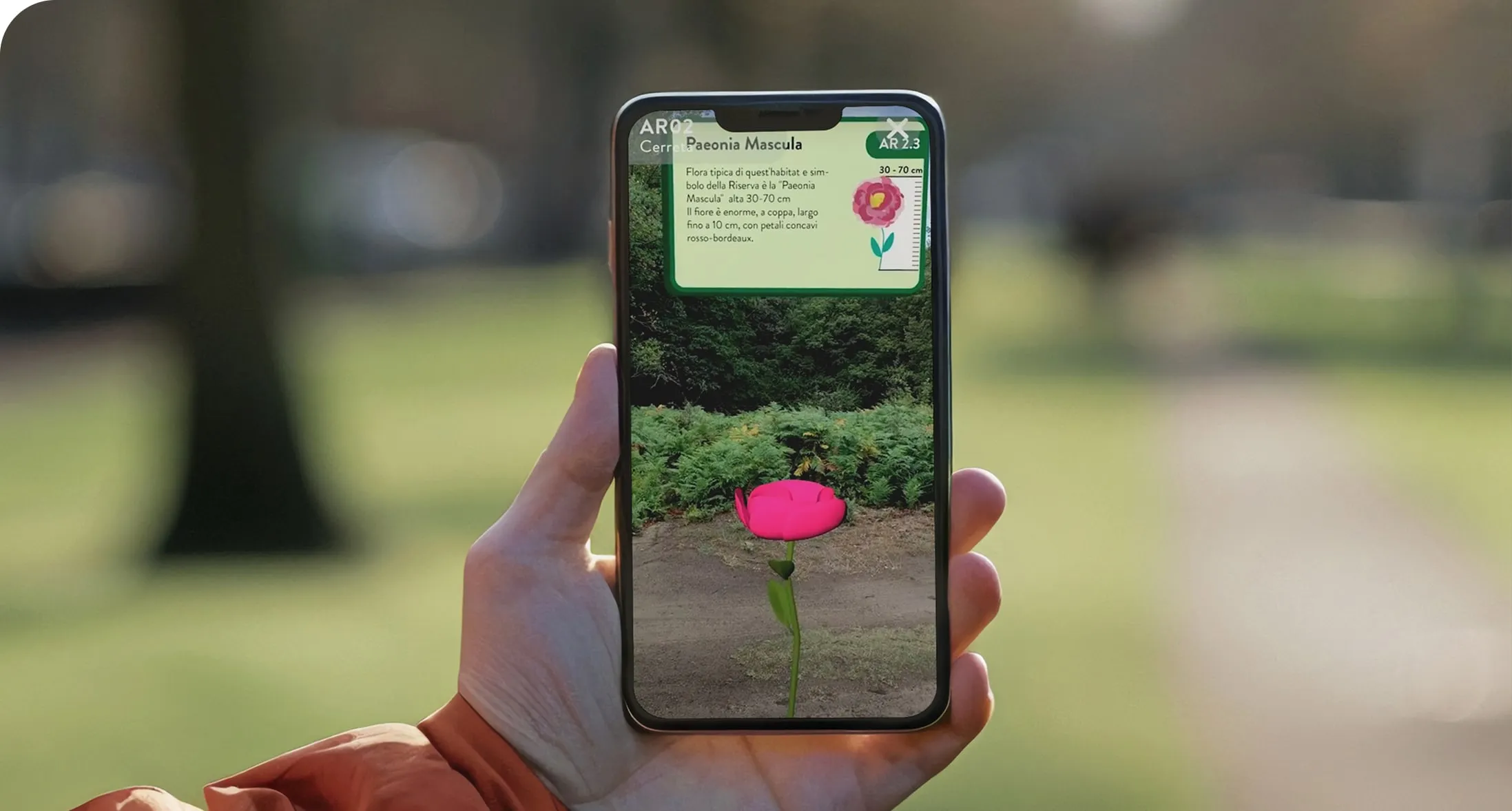
Augmented reality along a path: a 3D flower appears on the screen with its information card, in the Riserve AR app.
How to choose
The solution depends on the museum, the room and the audience, which is why interactive installations are almost always assessed case by case, after a site visit. The reasoning covers five aspects.
Objectives. What should the visitor do: read in-depth content, choose among many works, play, be drawn into a story? Alone or in a group, for a few seconds or for ten minutes? An entry to look up points towards a kiosk or the phone, a collection to explore together towards a table or a wall, a shared story towards a projection.
Space. What counts is the size of the room, the viewing distance, the flow of groups and the room in front of the installation for people who stop. And then the light: windows, reflections, spotlights. A screen in front of a window is hard to read, and a projection in a bright room almost disappears.
Environment. Heat, dust, humidity and above all proximity to the works: screens and projectors give off light and heat, and next to delicate materials their position is decided with the conservators. In historic buildings, constraints on walls, cables and sockets matter too, as does network coverage.
Integration with the exhibition design. The installation should look like part of the room, not an appliance placed there. At MUSE the kiosk was customised down to its hardware to fit into the wood and glass structure designed by Renzo Piano. It also needs room for ventilation and easy access for maintenance.
Content and its life. An installation without content is an empty box. Who writes the entries, who supplies images and rights, in how many languages, who will update everything two years from now? A management system that staff can use on their own makes the difference between a system that stays alive and one that ages along with its texts.
From the project to the specifications
The specifications turn these choices into requirements. For a touch screen they should state the number and size of the screens, resolution, touch technology and number of simultaneous touches, brightness, operating hours per day, and the housing or support structure. Then they define the content (who produces it and who enters it) and the management system, to be seen in a demo before choosing. For accessibility, the references are WCAG 2.1 level AA for the software and the European standard EN 301 549, which also covers terminals that the public uses on its own; in Italy, a public body’s web app also needs the accessibility statement required by AgID. The list ends with warranty, response times, staff training and a clause on what happens when the contract ends: the museum must be able to get its content back in an open format.
In Italy, for services and supplies under 140,000 euros, the Public Contracts Code (D.Lgs. 36/2023, art. 50, paragraph 1, letter b) allows direct award, even without consulting several operators, to a supplier with «documented previous experience suited» to the contract. Above that amount, and up to the EU threshold, a negotiated procedure with at least five operators is required. In practice the purchase often goes through MePA, the public administration’s e-marketplace, with a direct negotiation, and the rotation principle applies (art. 49), which normally excludes two consecutive awards in the same sector to the same supplier. Previous experience can be checked: installations already delivered, with the name of the institution, and articles or institutional pages that describe them. If the purchase is funded by a funding call or co-financing, the specifications must also follow its rules.
An example: Iride at MuNDA in L’Aquila
On 20 December 2025 MuNDA – Museo Nazionale d’Abruzzo returned to the sixteenth-century castle of L’Aquila, sixteen years after the 2009 earthquake. On the first floor, among the works of the permanent collection, stands Iride, a touch wall: five Full HD touch screens joined into a surface 3.5 metres long and 1.2 metres high.
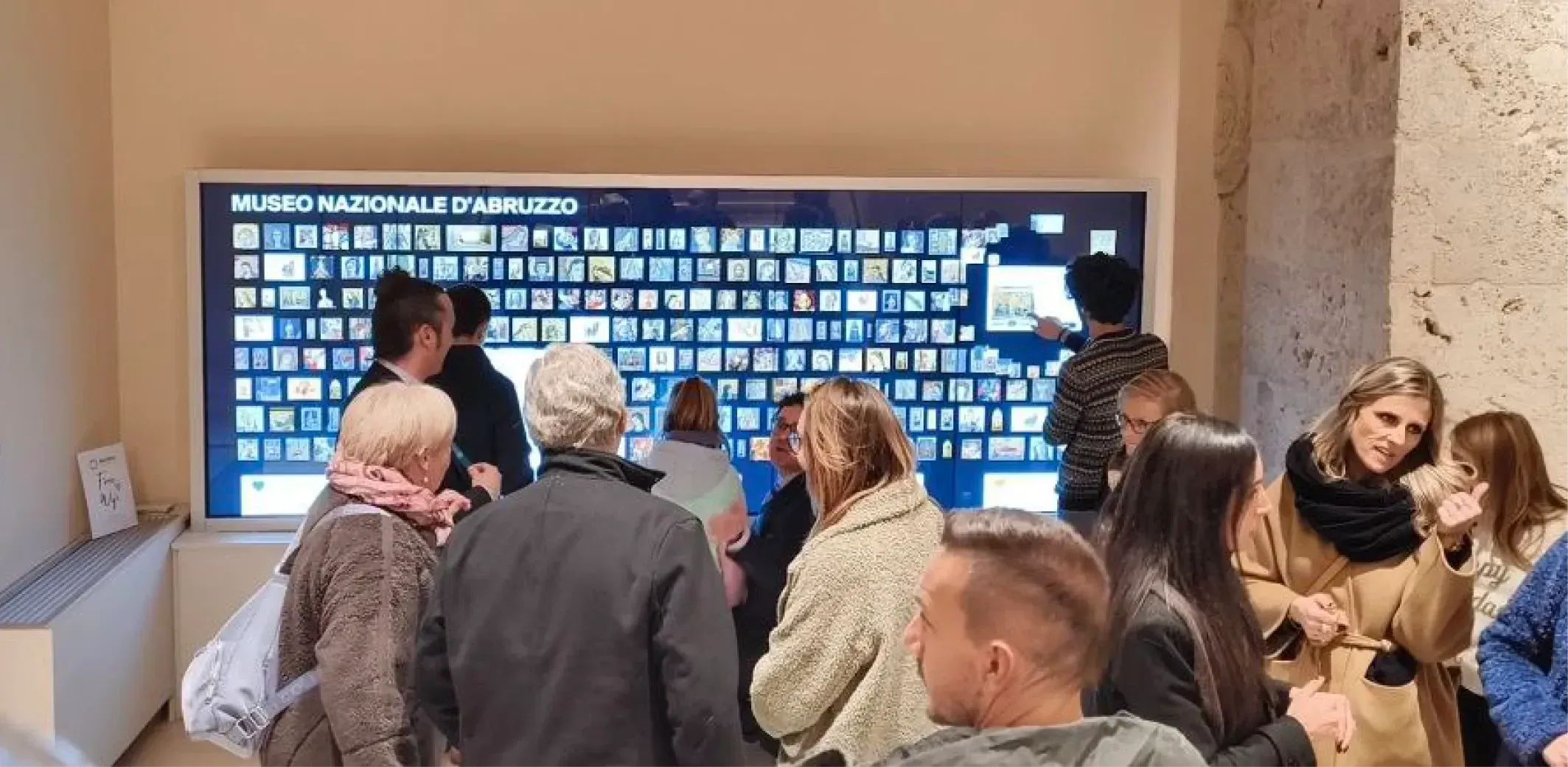
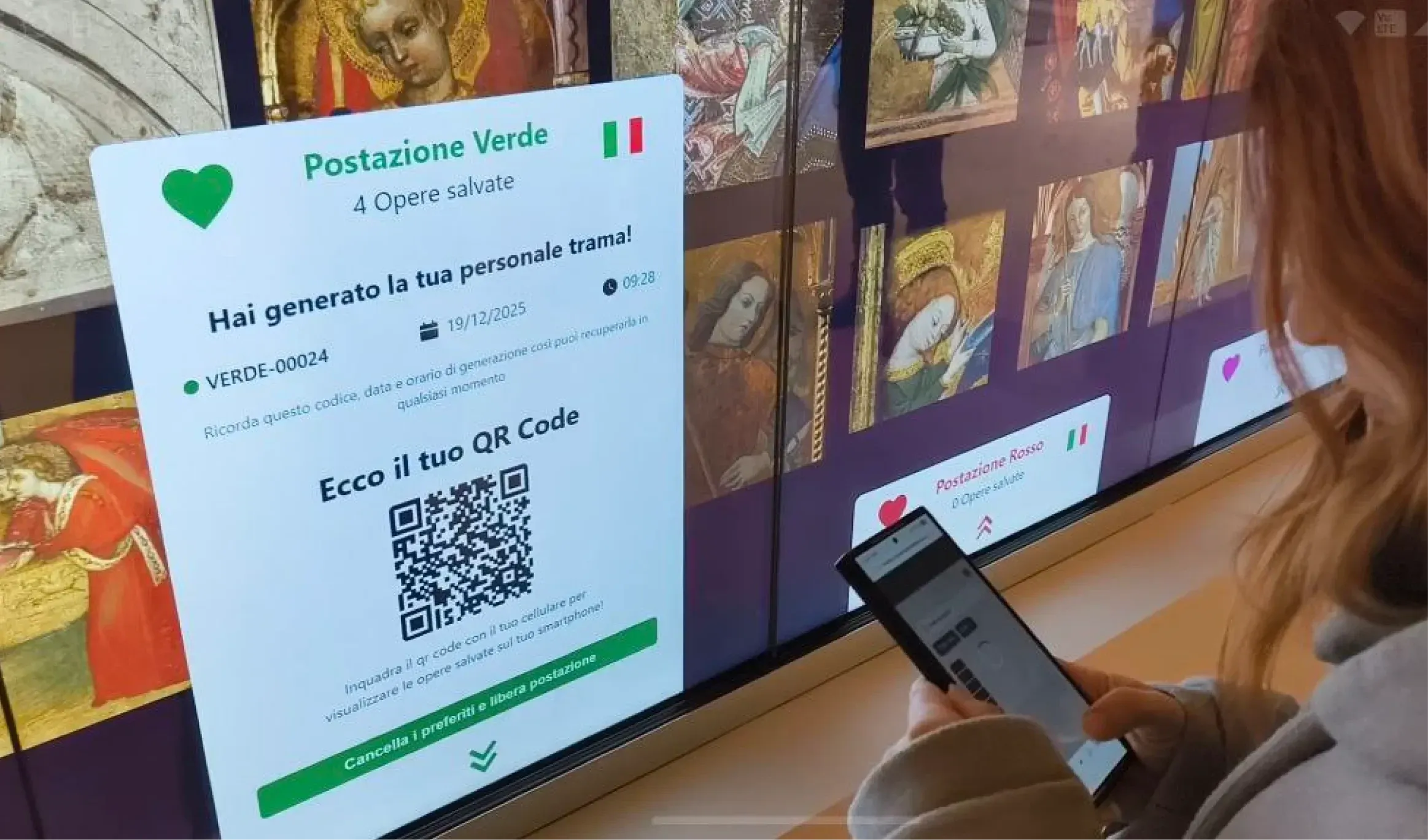
Iride brings together the two routes described above. On the wall, visitors find every work in the collection: they choose one, read its entry, see where it is in the museum and which works are linked to it by narrative «threads». The screen is divided into coloured stations, so several people can use it at the same time, each with their own list. Visitors who save their favourite works generate a QR code, scan it with their phone and find their selection in a web app, to explore at leisure even after the visit.
The project was conceived by the museum’s director, Federica Zalabra, who wanted a system to «educate through enjoyment». Frame Multimedia Solutions handled the branding, the UX/UI design, the wall application, the web app and the management system the museum staff use to update the artworks without outside help. As the plaque next to the installation states, the screens were co-funded by the Fondazione Cassa di Risparmio della Provincia dell’Aquila. It was covered by Il Trafiletto, Il Giornale d’Abruzzo and Artribune (in Italian), and the museum presents Iride on its official page.
World on Wall©
Iride is built with World on Wall©, Frame’s format for large multi-touch screens: an interactive mosaic that presents what an institution offers (artworks, places, routes, university courses or services) and adapts each time to the space and the content. The format also has a dedicated page. If you are considering an interactive installation or writing specifications, write to us.
- #schermi touch
- #musei
- #totem multimediale
- #touch wall
- #allestimento multimediale
- #proiezioni interattive
- #ologrammi
- #World on Wall